How UK small businesses can add WhatsApp messaging to Google Search and Maps
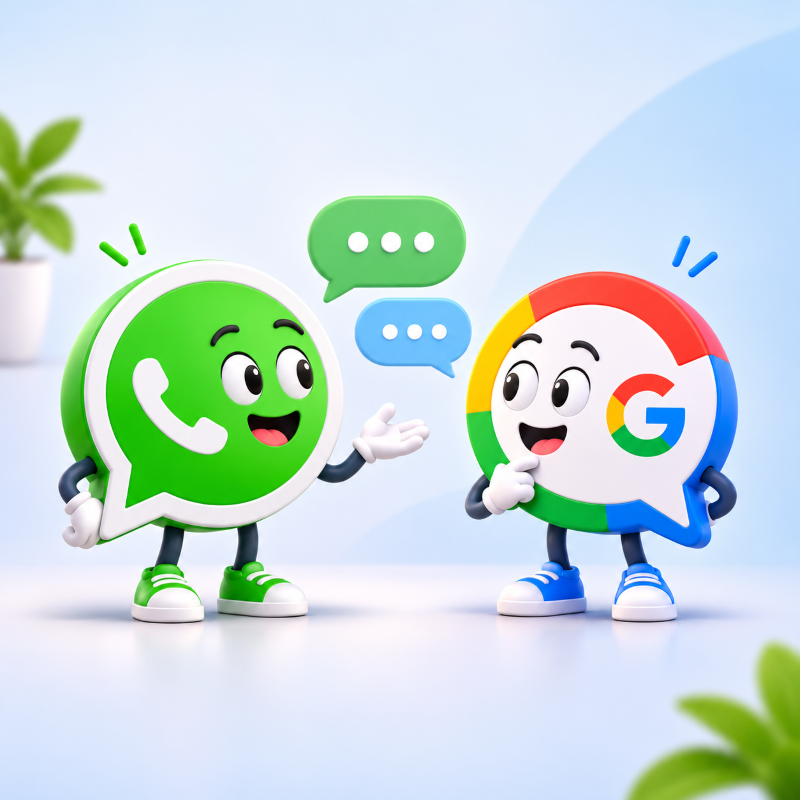
Google has been encouraging business owners to add WhatsApp messaging to their Google Business Profiles, giving potential customers another way to get in touch directly from Google Search and Maps.
For small businesses, this could be a useful addition. After all, not everyone wants to make a telephone call, particularly when they only have a quick question. Some people would much rather send a message, perhaps to check availability, request a quotation or ask about a service before making a booking.
It’s another example of how Google is changing the way customers interact with local businesses. Your Google Business Profile is no longer just somewhere people find your opening hours and telephone number. It’s an important part of your online presence, and one that can influence whether someone decides to contact you.
Of course, making your business easier to contact is only part of the picture. A properly managed Google Business Profile should also help customers understand what you do, where you work and why they might choose your business.
So, what has changed, how do you add WhatsApp, and is it actually worth using?
What’s changed with Google Business Profile messaging?
You might remember that Google discontinued its original Business Profile chat feature in July 2024. Until then, customers could send messages directly to businesses through Google’s own messaging system.
Rather than bringing back that service, Google has made it possible for eligible businesses to connect third-party messaging options, including WhatsApp and SMS text messages.
This means that someone who finds your business on Google Search or Maps may be able to select a WhatsApp button and start a conversation with you. The message opens in WhatsApp, rather than being managed through Google itself.
The option isn’t entirely new. It has been available to some businesses for a while, but Google has been highlighting it again. In October 2026, there were also reports of WhatsApp buttons appearing more prominently in some Google local search results, alongside familiar options such as calling a business or visiting its website.
There is an important distinction here. This isn’t a confirmed worldwide rollout, and Google still states that the feature is only available in selected regions and for eligible Business Profiles.
Nevertheless, it’s worth checking whether the option is available to your business.
Why might WhatsApp be useful for small businesses?
Think about the way people contact businesses today. Someone looking for a local roofer might want to send a photograph of a leaking roof rather than trying to describe the problem over the telephone. A customer searching for a beauty salon might want to check whether there’s an appointment available next Friday.
In both cases, WhatsApp offers a familiar and convenient way to begin the conversation.
For businesses that regularly receive enquiries requiring photographs, quick answers or appointment information, this could make the process easier for customers and business owners alike.
There’s also the question of convenience. Someone browsing Google during their lunch break may not have time to telephone several businesses, but they might be happy to send a message and return to the conversation later.
However, there’s a difference between making it easier for people to contact you and automatically generating more enquiries.
Adding WhatsApp won’t guarantee that customers will use it, and it certainly won’t guarantee more sales. What it does offer is another way for people who have already discovered your business to take that next step.
How to add WhatsApp to your Google Business Profile
If your Google Business Profile is eligible, adding WhatsApp is relatively straightforward. You’ll need a claimed and verified Business Profile, access to the Google account that manages it and an active WhatsApp Business number.
I would recommend using WhatsApp Business rather than your personal WhatsApp account, particularly if you receive regular customer enquiries. Keeping business conversations separate from personal messages can make them much easier to manage.
To add WhatsApp to your Google Business Profile:
- Sign in to the Google account that manages your Business Profile.
- Find your business on Google Search and select Edit profile.
- Open the Contact section.
- Find the Chat setting and select the edit option.
- Choose WhatsApp from the dropdown menu.
- Enter your WhatsApp click-to-chat URL.
- Select Save.
Your WhatsApp link should follow this format:
https://wa.me/447XXXXXXXXX
For a UK mobile number, replace the opening zero with the international dialling code, 44. Don’t include spaces, brackets, dashes or a plus symbol.
Once saved, check whether the WhatsApp option appears on your public Business Profile. If it does, test the button to make sure it opens a conversation with the correct business number.
Google’s own instructions are available in its official Business Profile messaging guide, which is worth checking if the settings change or you have difficulty adding your link.
There is also a small detail that could cause confusion. Google currently states that if both WhatsApp and text messaging options are added, customers will see the text messaging option rather than WhatsApp.
What if the WhatsApp option isn’t appearing?
If you can’t find the Chat setting on your Google Business Profile, it doesn’t necessarily mean you’ve done anything wrong.
Google makes some Business Profile features available only in selected regions, and not every eligible feature appears on every listing. Having a verified profile doesn’t automatically guarantee access.
It’s also possible to save a WhatsApp link without seeing the button appear immediately, or finding that it doesn’t appear in every search result. Google controls how Business Profile features are displayed, and the experience can vary.
Before troubleshooting, check that you’re signed into the correct Google account, that your Business Profile is verified and that the WhatsApp number and link are valid.
If everything looks correct but the option still isn’t available, I wouldn’t recommend making unnecessary changes to your business information in an attempt to force it to appear.
Will adding WhatsApp improve your local SEO?
This is probably one of the first questions business owners will ask, particularly if they’re already working on improving their visibility in Google Search and Maps.
The answer is that adding WhatsApp isn’t a recognised local search ranking factor. There’s currently no evidence that switching it on will make your business appear higher in search results.
Google explains that its local rankings are mainly influenced by relevance, distance and prominence. In other words, how well your business matches someone’s search, how far away it is and how established or recognised it appears to be.
WhatsApp doesn’t replace any of those considerations.
Where it could help is what happens after somebody discovers your business.
A customer might find you through Google Maps, read your reviews and decide that your business looks suitable. If they can then ask a quick question without leaving Google to search for your contact details, that might make them more likely to get in touch.
This is about improving the customer journey, not manipulating rankings.
And while visibility is important, there isn’t much value in attracting visitors who struggle to contact you once they arrive.
Is WhatsApp right for every business?
Not necessarily, and this is where I think business owners should give the decision some thought.
For tradespeople, mobile service providers, independent retailers and many appointment-based businesses, WhatsApp could be a useful option. Customers may appreciate being able to send photographs, ask about availability or get clarification before requesting a quotation.
However, there are businesses where WhatsApp might not be the most appropriate way to communicate.
Counsellors, therapists and other professionals who work with sensitive personal information need to think carefully about confidentiality, privacy and professional boundaries. A secure enquiry form or dedicated booking system may be more suitable, particularly if someone might share personal or health information.
It’s also worth considering whether your customers actually want to use WhatsApp. Some people prefer email, others like speaking to someone, and not everyone uses messaging applications.
I wouldn’t recommend replacing your existing contact methods with WhatsApp. Instead, consider whether it offers something genuinely useful alongside the options you already provide.
Another messaging option means another inbox
One thing I’ve noticed when working with small businesses is how easy it can be to accumulate new tools and systems, each promising to make life easier.
Sometimes they do. But sometimes they simply create another task that needs managing.
If you’re a sole trader, you might already be dealing with emails, telephone calls, contact forms and social media messages. Adding WhatsApp means another place where customers can reach you, and another place you need to remember to check.
Before enabling it, think about how you’ll manage incoming messages and what response times are realistic.
WhatsApp Business offers features such as business hours and automated away messages, which can help customers understand when they should expect a reply. These are worth setting up, particularly if you don’t want business enquiries arriving throughout the evening.
You should also consider how customer information will be handled, especially if people send photographs, contact details or other personal information. Your privacy notice should reflect how you collect and use that information.
And remember, someone contacting you through WhatsApp doesn’t automatically give you permission to send them marketing messages.
Making your business accessible is important, but so is protecting your time and maintaining appropriate boundaries.
How can you tell whether WhatsApp is helping?
If you decide to enable WhatsApp, I would suggest treating it as a small experiment rather than assuming it will automatically improve your business performance.
Keep an eye on the type of enquiries you receive and whether they lead to anything useful.
For example, are customers asking relevant questions about your services? Are those conversations turning into appointments or quotations? Is WhatsApp making it easier to communicate, or is it creating extra work without much benefit?
Google refers to chat performance metrics in its Business Profile guidance, although you shouldn’t assume these will provide a complete breakdown of WhatsApp clicks, conversations and resulting sales.
Keeping your own simple record of enquiries and their outcomes can provide useful additional information.
A handful of relevant enquiries may be worth far more than dozens of messages that never lead anywhere.
And if you discover that most customers still prefer calling or completing your website’s contact form, that’s useful to know too.
Don’t forget the basics of local SEO
WhatsApp is another contact option, but it shouldn’t distract from the foundations of a good local online presence.
Your Google Business Profile should have accurate contact details, relevant business categories, appropriate opening hours and clear information about your services. Genuine customer reviews, useful photographs and a well-maintained website also help people understand your business and decide whether to contact you.
If those basics aren’t in place, I would prioritise them before spending too much time experimenting with additional features.
For a more complete starting point, I’ve put together a Local SEO Checklist for UK Small Businesses, covering the practical steps that help businesses improve their visibility and make it easier for customers to get in touch.
My thoughts on Google’s WhatsApp option
I think giving customers more choice about how they contact a business is generally a positive thing. Not everyone wants to telephone, and sometimes sending a quick message is the simplest way to ask a question.
For some small businesses, WhatsApp could remove a useful little barrier between someone finding them on Google and making that first enquiry.
However, I wouldn’t recommend enabling it simply because Google has suggested it.
Think about your customers, how you prefer to work and whether another messaging option will genuinely improve the experience for both of you.
Your website should still do the important work of explaining your services, answering questions and building trust. Your Google Business Profile helps people discover you, while contact options such as WhatsApp can make it easier to begin a conversation.
Sometimes small improvements to the customer journey are worth making. The important thing is choosing the ones that make sense for your business.
Need help with your Google Business Profile?
At Phoenix Web Services, I help UK small businesses improve their local online presence through practical, ethical SEO. My focus is on attracting the right enquiries, rather than simply increasing website traffic.
If you’re unsure whether your Google Business Profile is working as well as it could, you’re welcome to get in touch.
- How UK small businesses can add WhatsApp messaging to Google Search and Maps
- What's changed with Google Business Profile messaging?
- Why might WhatsApp be useful for small businesses?
- How to add WhatsApp to your Google Business Profile
- What if the WhatsApp option isn't appearing?
- Will adding WhatsApp improve your local SEO?
- Is WhatsApp right for every business?
- Another messaging option means another inbox
- How can you tell whether WhatsApp is helping?
- Don't forget the basics of local SEO
- My thoughts on Google's WhatsApp option
- Need help with your Google Business Profile?